
The NoomiClone browser edition uses four main keyboard inputs. Learn these before trying a long combo: you are changing the character’s body position and release timing, rather than selecting a pre-recorded trick.
What the controls look like in our browser test
We checked the developer’s browser build on October 11, 2026. The images below show two different inputs during an attempt, not two stages of a guaranteed trick.
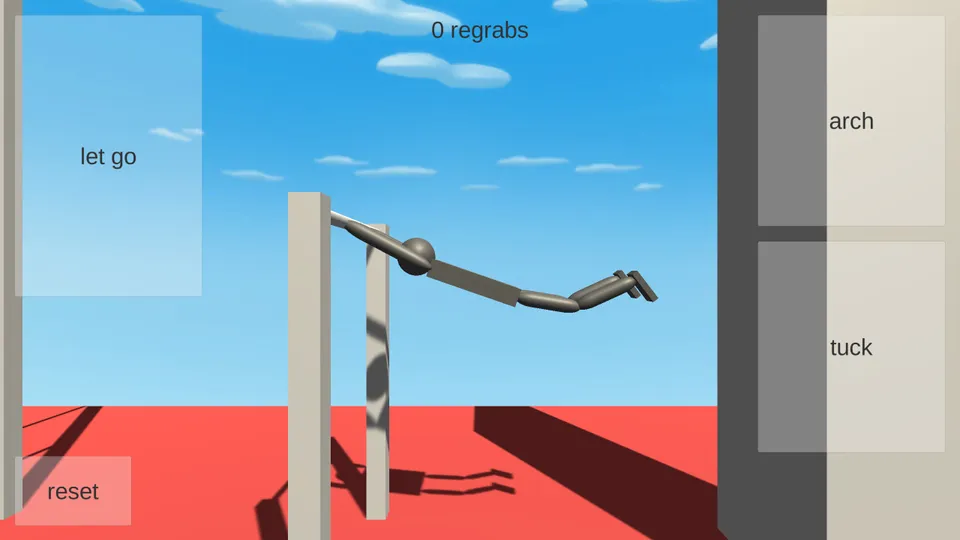
Arch — Left Arrow held: the torso and legs extend away from the bar. The character remains attached by the hands. This is a body-position input, not a command to travel left across the screen.
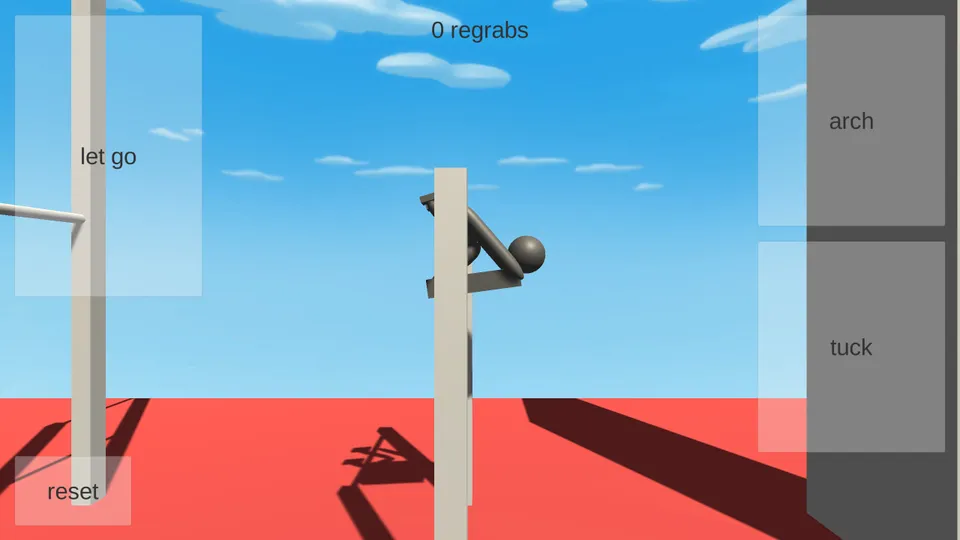
Tuck — Space held: the legs fold toward the body. The vertical post can hide part of the character; compare the knee position rather than assuming that a hidden hand means the bar was released.
For a first check, hold one key long enough to see the pose change, then let it go before testing another. In our automation test, a very brief Up Arrow press did not produce a clearly visible release; holding it briefly did. We do not infer a universal minimum press duration from that one session. The captioned recording below shows the complete input sequence, including a missed attempt and reset.
Browser keyboard controls
These bindings are listed on the developer’s itch.io page.
| Key | Action | What to practice |
|---|---|---|
| Left Arrow | Arch | Watch how extending the body changes the swing. |
| Space | Tuck | Pull into a compact body position during rotation. |
| Up Arrow | Let go | Release the bar and observe your flight path. |
| R | Reset | Return to the start for another attempt. |
Start with one input at a time. Notice the result, reset, then change only one part of the next attempt. That makes it easier to connect an input with the character’s movement.
Why is Space scrolling the page?
Click inside the game after it loads. Keyboard input needs to reach the game frame. If the surrounding page still scrolls, click the game again or use the fullscreen control on the hosting page. Close any menu or text field that may have keyboard focus.
If the game does not respond at all, check whether the scene has finished loading. Reload the developer’s page if it remains blank. Our PC guide covers a short troubleshooting sequence.
What about mobile controls?
The Android and iOS apps use on-screen controls. Their available actions and button arrangement can differ from the classic browser build. Check the controls and settings in your installed version rather than treating this keyboard table as a mobile walkthrough.
Mobile release notes describe additional twist and replay features. A key suggested in a community video may refer to a different platform or a different game. We have only listed the browser bindings documented by the developer.
A useful first drill
- Open the official browser game and click inside it.
- Try arching and watch the movement.
- Reset, then try tucking so you can compare the positions.
- Reset again, let a swing develop, and release.
- Repeat while changing the release timing, keeping the other inputs similar.
Continue with how to play NoomiClone, then work toward your first regrab.
Sources and scope
Controls verified against the developer’s browser listing. Mobile feature context comes from the App Store version history. This guide covers in-game controls, not real-world gymnastics instruction.